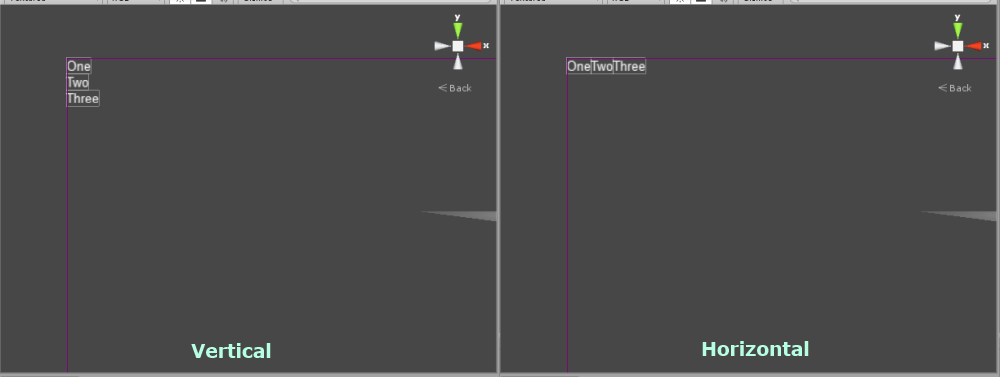
The Stacking Panel is the simplest of the layout controls. It just places each one of its children next to each other, one after the other.
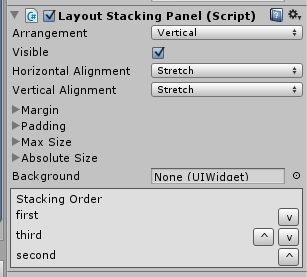 LayoutStackingPanel has two properties to edit besides the ones inherited from LayoutCapable. The first of these is the stacking order of the child elements. At the bottom of the inspector for a LayoutStackingPanel is an area that lists all of the children of the control by name. They will be placed from top to bottom. The children can be moved up or down the list using the ‘^’ and ‘v’ buttons, respectively.
The Arrangement property controls how the children of the Stacking Panel are placed next to each other. By default, this is set to Vertical, which means that each child will be placed below the previous one. When in Vertical arrangement, the area given to each child for its layout will have the same width given to the Stacking Panel and the height will be the minimum required for the control to show its self. Setting this to Horizontal will cause each child to be placed to the right of the previous one. When in Horizontal arrangement, the width given to each child will be only as much as is necessary to display the entire child and the full height given to the Stacking Panel.
Note that the Stacking Panel will never give a child area to layout in that would put the child off the screen.